Plugged in: wired priority.
Your earmarked devices get the sound and the mic. Bluetooth headphones go back to your phone, if you've turned that on.
A small utility for a two-device life
For scrolling, coding, and speaking your next prompt.
See how it worksMade for macOS 14+

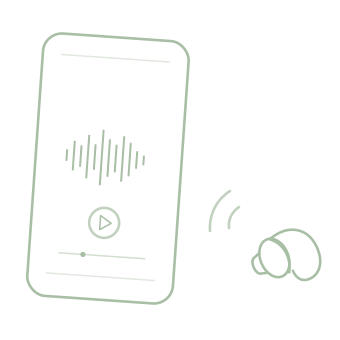
Two devices. Two earbuds. Each with a place.
The story
I like to scroll on my phone while I code on my Mac. I also use voice input to tell my coding tools what I want.
So I wear one wired earbud for the Mac and its microphone, and one Bluetooth earbud for my phone.
The catch: the Bluetooth earbud knows my Mac too. It kept switching between the two. I made Earmark to give that setup a simple rule.

One wired earbud.For my Mac & microphone.
One Bluetooth earbud.For my phone.
The simple rule
Earmark a sound output and a microphone. Whenever they're plugged in, your Mac uses them, even after a restart.
While your wired sound output is plugged in, Bluetooth headphones that switch to this Mac go back to your phone. If they only take the mic, Earmark takes it back and lets them keep playing.
Unplug, and normal macOS behavior resumes.

Wired output and microphone take priority. Bluetooth protection is on.
Interactive illustration · does not change your audio settings.
Getting started
A short welcome shows you around. After that it lives in your menu bar, with no Dock icon.
Pick a sound output and a microphone. A USB headset that's already plugged in is picked up for you.
Turn on Launch at login. When macOS asks for Bluetooth access, allow it, so Earmark can send headphones back to your phone.

A familiar cable. A little more peace.
Your earmarked devices get the sound and the mic. Bluetooth headphones go back to your phone, if you've turned that on.
Earmark steps aside. Your Mac and Bluetooth headphones behave as they normally would.
No. Earmark can't stop the switch before it happens. While your earmarked sound output is plugged in, it disconnects Bluetooth headphones right after they switch to your Mac.
They usually reconnect to a phone that is playing audio, but Earmark can't guarantee it. Reconnection is up to your headphones and phone. Phone audio may pause for a second or two.
Yes. Earmark only a microphone, or turn off “Send Bluetooth Headphones Back to Phone”. Your AirPods can then play your Mac's sound while the mic stays on your wired one, which also keeps the AirPods sounding their best.
Yes. If you pick another device yourself, such as a different wired device or a Bluetooth speaker, Earmark respects that choice. Only Bluetooth headphones are sent back to your phone. You can also turn Earmark off from its menu at any time.
Only to disconnect Bluetooth headphones from your Mac. If you'd rather it didn't, turn off “Send Bluetooth Headphones Back to Phone” in the menu.
Earmark 1.0 is in testing and coming to the Mac App Store, for macOS 14 and later. The link will be here when it's out.
Wired headset for your Mac. Bluetooth headphones for your phone.
Coming soon for MacBack to top